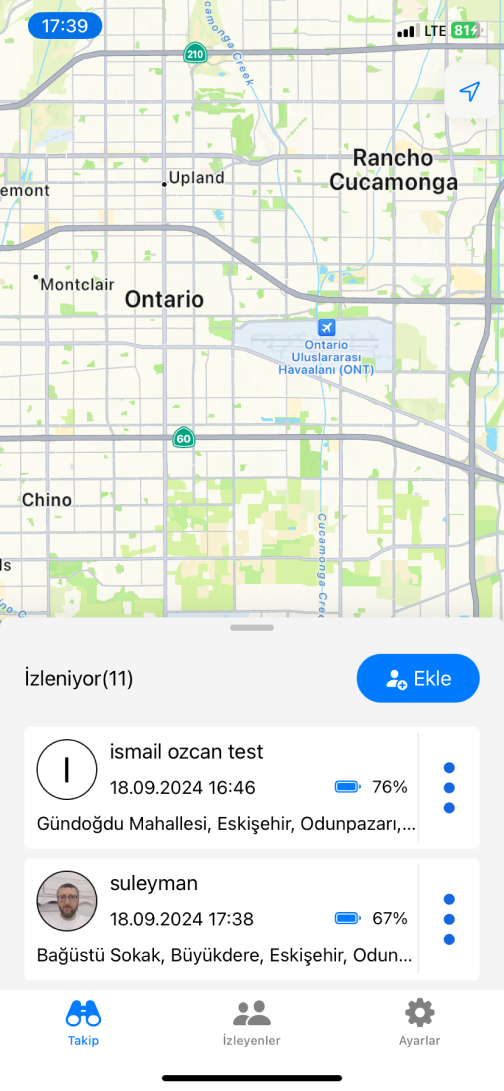



Understanding device tracking has become essential in 2025, whether protecting personal devices or managing commercial fleets. This guide explains how location tracking works, compares available solutions objectively, and helps you choose the right tool for your needs.
How Location Tracking Actually Works
GPS tracking relies on satellites to pinpoint device locations, typically accurate within 5-15 meters. However, several factors affect performance: signal obstruction from buildings, weather conditions, device hardware quality, and power consumption. When tracking apps collect location data, they store coordinates with timestamps, creating a movement record. Most systems use AES-256 encryption to protect this sensitive data during transmission and storage.
Comparing Available Solutions Honestly
Built-in Systems: Google Find My Device & Apple Find My
Strengths: Zero cost, deep OS integration, reliable real-time location, remote locking capabilities, and Apple’s robust offline Bluetooth network.
Limitations: Limited location history (Google shows several days, Apple shows only current location), no historical data export, challenging multi-device management across accounts, and battery dependency.
Best for: Personal device protection, occasional location checks, family device tracking.
Dedicated GPS Hardware
Strengths: Independent power (weeks to months), discreet form factors, durable construction, can’t be disabled by turning off a phone.
Limitations: Monthly fees ($10-30), initial hardware costs ($30-150), single-purpose functionality, maintenance overhead.
Best for: Vehicle tracking, valuable equipment, elderly care where phones aren’t practical.
Professional Tracking Apps
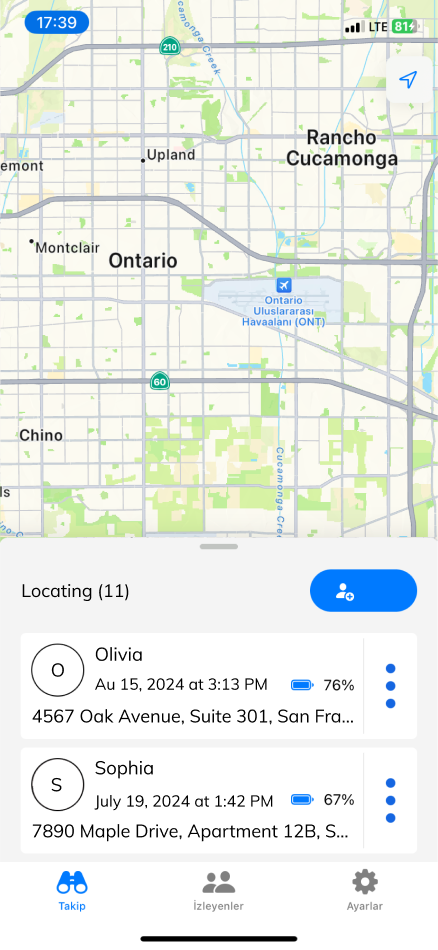
Apps like Tracker App, Life360, and fleet management solutions offer detailed location history, cross-platform support, multi-device management, customizable reporting, and geofencing capabilities.
Limitations: Battery consumption (15-25% reduction), explicit consent required, network dependency, varying data retention policies.
Best for: Fleet management, family coordination, travel record-keeping, business mileage tracking.
Tracker App: Transparency About What We Offer
Core Features
- Unlimited historical data retention (while account active)
- Exportable reports with routes, distances, speeds
- Multi-device management for Android (6.0+) and iOS (12.0+)
- Real-time updates every 2-5 minutes
- Downloadable CSV and PDF reports
Our Honest Limitations
Battery Impact: Continuous tracking reduces battery life by 15-25% depending on update frequency.
Accuracy Constraints: Location precision depends on GPS signal quality. Indoor locations are less precise, and urban areas can cause temporary positioning errors.
Network Requirements: Active internet connection required. Data queues locally during offline periods and uploads when connection restores (averages 5-15 MB daily).
Privacy Responsibility: You must have legal authority to track any device you monitor. Tracking without proper consent may violate local laws.
How Our Free Model Works
We keep core tracking free while developing our business through:
- Aggregated insights: We analyze anonymized, aggregated movement patterns (never individual identities) for general traffic trends valuable to urban planning clients.
- Premium business features: Companies requiring advanced fleet management or custom integrations can access enterprise tiers (in development).
- Future premium options: Extended data retention beyond 2 years or real-time emergency response (core tracking remains always free).
What We Don’t Do
We never sell individual user data, share personally identifiable information, use data for advertising, or access your data without authorization.
Getting Started: Practical Setup
Installation Steps
- Create Account: Visit trackerapp.net—only email required, no credit card.
- Download App: Install from Google Play or Apple App Store.
- Configure Permissions:
Android: Enable “Location” → “Allow all the time,” disable battery optimization (Settings → Battery → Battery Optimization → Tracker App → “Don’t optimize”), enable “Physical activity” permission.
iOS: Settings → Tracker App → Location → “Always,” enable “Precise Location,” ensure Background App Refresh is enabled.
- Verify: Check dashboard for location data (first point takes 2-5 minutes).
Common Issues and Solutions
Location stops after restart: Some manufacturers (Xiaomi, Huawei, Oppo) reset battery optimization. Reverify exception list.
Accuracy fluctuates: Enable “High Accuracy” mode using GPS + Wi-Fi + Mobile networks.
Missing history periods: Check for airplane mode, power off, or no coverage—data uploads once connection restores.
Battery Optimization
Adjust update frequency based on needs: high frequency (1-2 minutes) for active tracking, medium (5 minutes) for balanced use, or low (15-30 minutes) for extended battery life. Enable motion detection to increase updates only when moving.
Legal and Ethical Responsibilities
When Tracking is Appropriate
- Devices you own
- With explicit consent from tracked individuals
- Company devices with proper employee notice
- Children’s devices with age-appropriate explanation
When Tracking May Violate Laws
- Tracking without knowledge or permission
- Using data to stalk or harass
- Employee tracking outside work hours without agreement
Privacy laws vary by jurisdiction. GDPR (EU) and CCPA (California) impose strict requirements. Always consult local laws before implementing tracking.
Best Practices
- Clearly inform tracked individuals
- Explain data collection and usage
- Respect privacy boundaries
- Use strong passwords and two-factor authentication
- Delete data when no longer needed
Real-World Applications
Small Business Fleet: Route optimization, arrival time estimates, service verification, mileage tracking for taxes.
Family Safety: Peace of mind about children’s whereabouts, automatic arrival notifications, emergency location access.
Personal Travel Documentation: Automatic mileage logging, exportable reports for accounting, trip reconstruction.
Elderly Care: Geofencing alerts, location history for safety, maintaining independence with oversight.
Making Your Decision
Choose built-in solutions if: You need occasional device location, track only personal devices, don’t need detailed history, want zero additional cost.
Choose GPS hardware if: You track vehicles without smartphones, need weeks of battery life, require discreet form factors, have budget for hardware and subscriptions.
Choose tracking apps if: You need detailed history and reporting, manage multiple devices centrally, want exportable data, need cost-effective professional features.
Next Steps
Ready to try Tracker App? Setup takes 5 minutes, and support is available at info@trackerapp.net if needed.
This content provides educational value about location tracking technology. While we operate Tracker App, we’ve presented objective information about all solutions to help readers make informed decisions.